
All guides › Hardware
🔌 Reset Terminal
Factory reset a terminal and set it back up.
A factory reset wipes the device. Only do this if a terminal is faulty or you've been asked to.
- Exit Kiosk Mode — hold the power button, tap Exit Kiosk Mode, and enter the PIN (usually
0000or1234).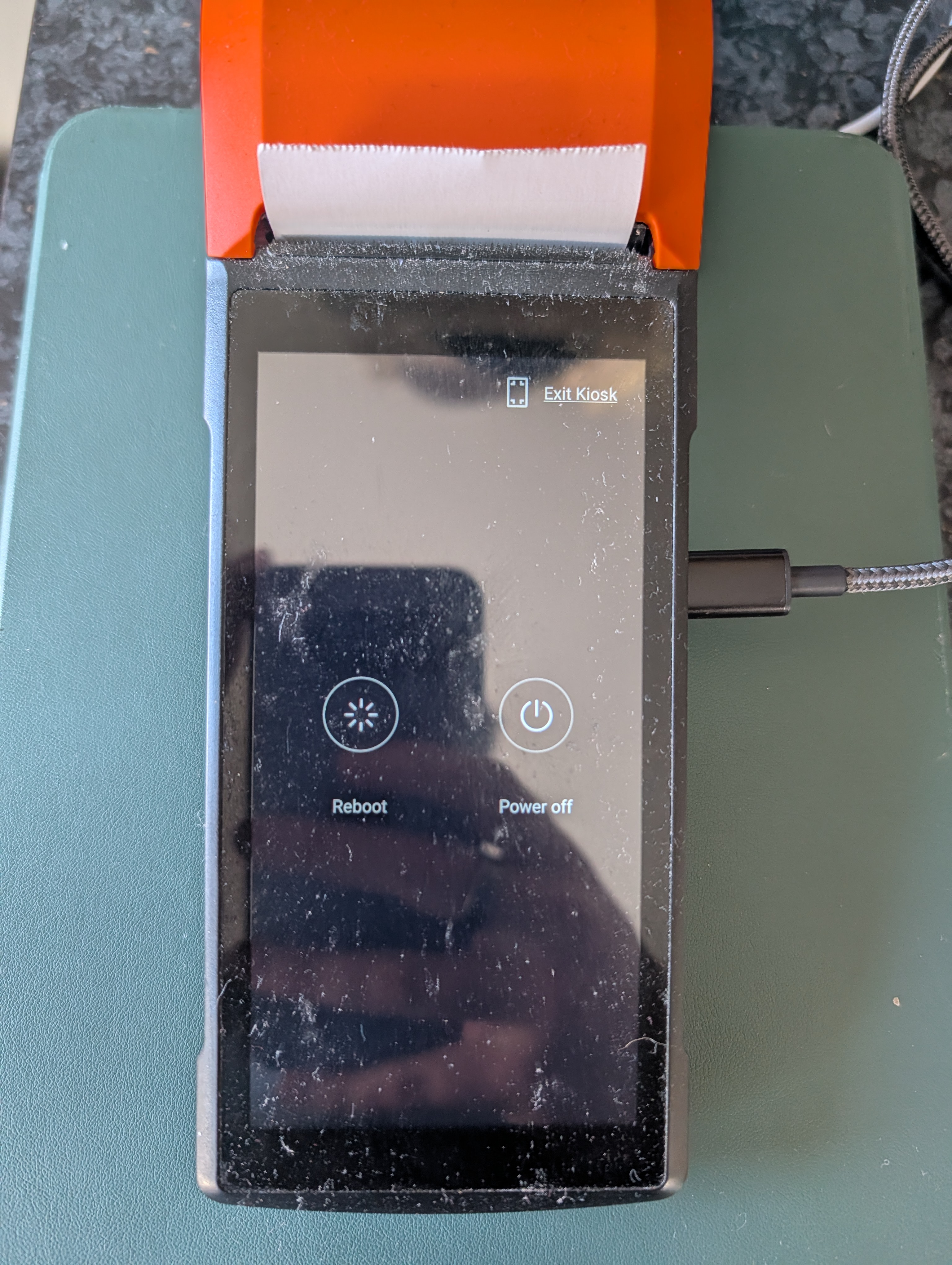
- Open the Settings app.
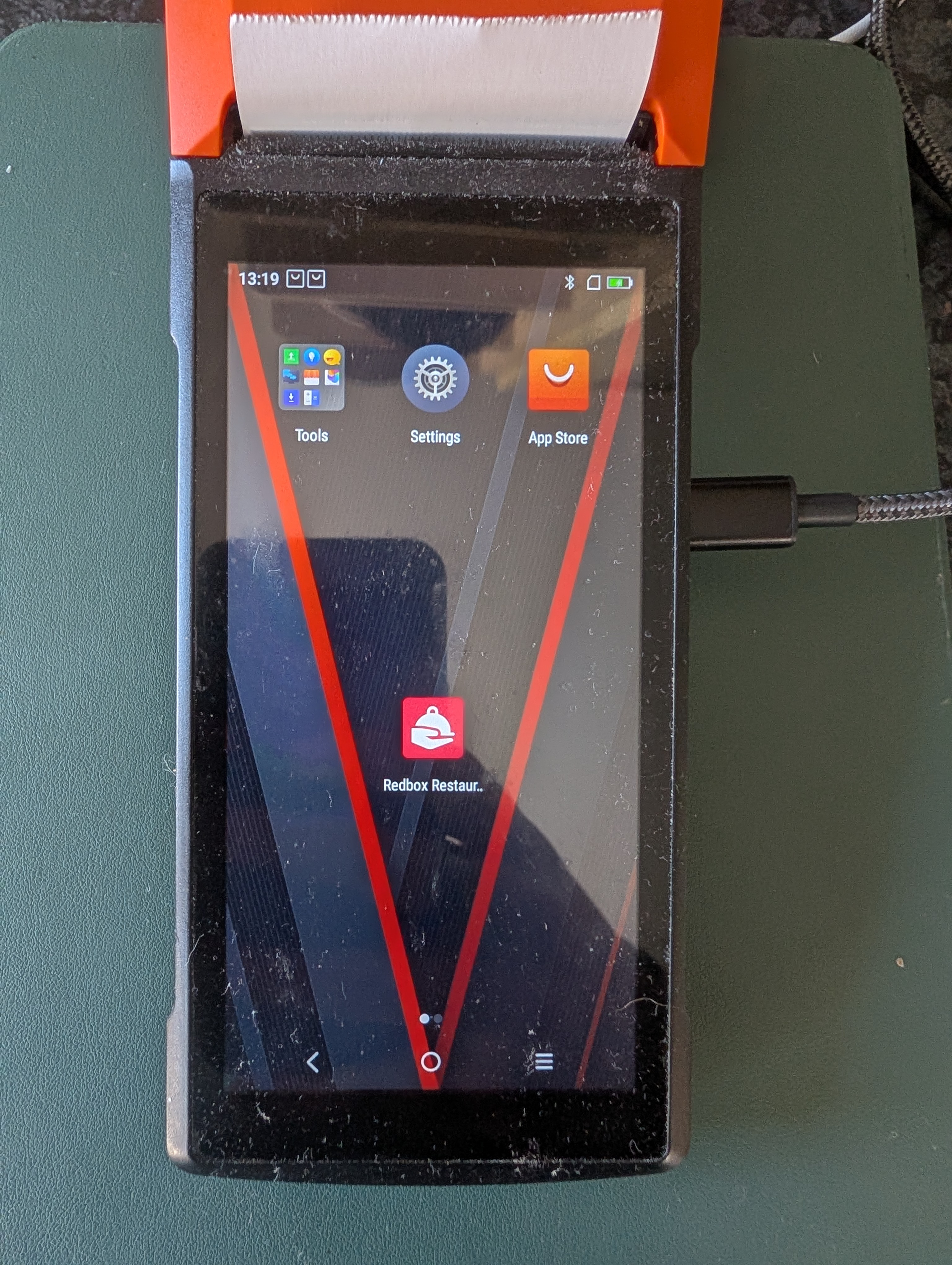
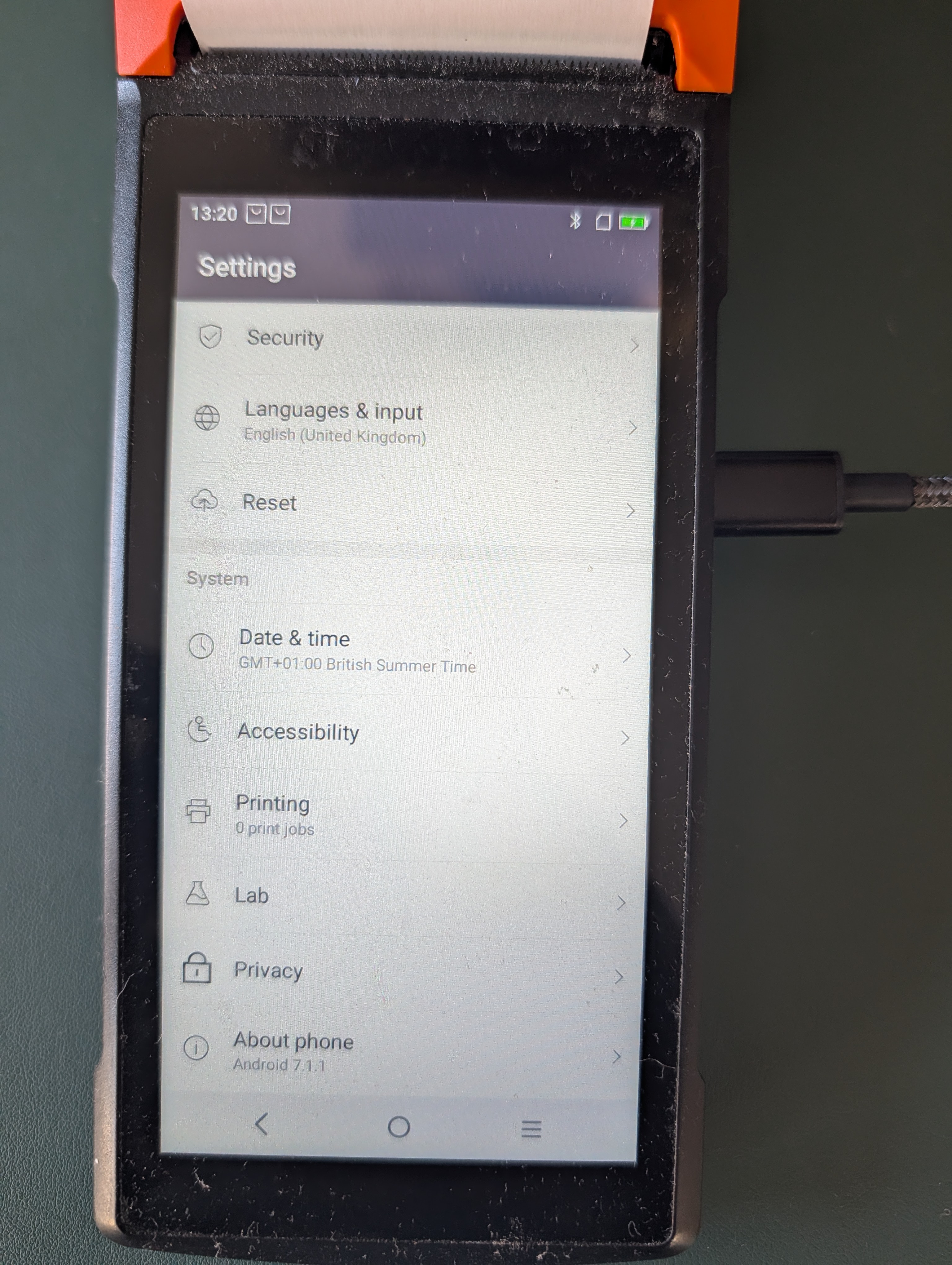
- Scroll down and tap Reset.
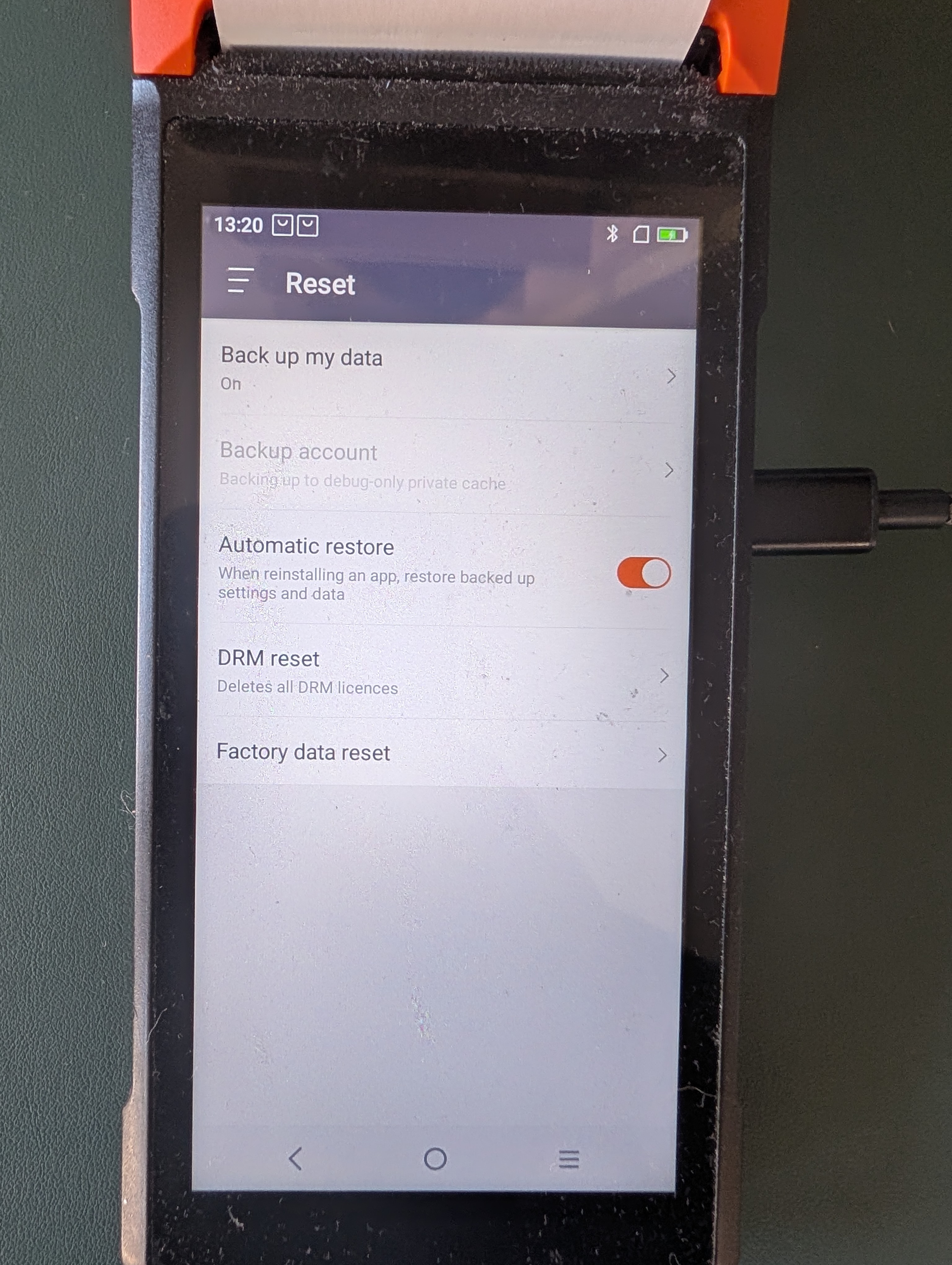
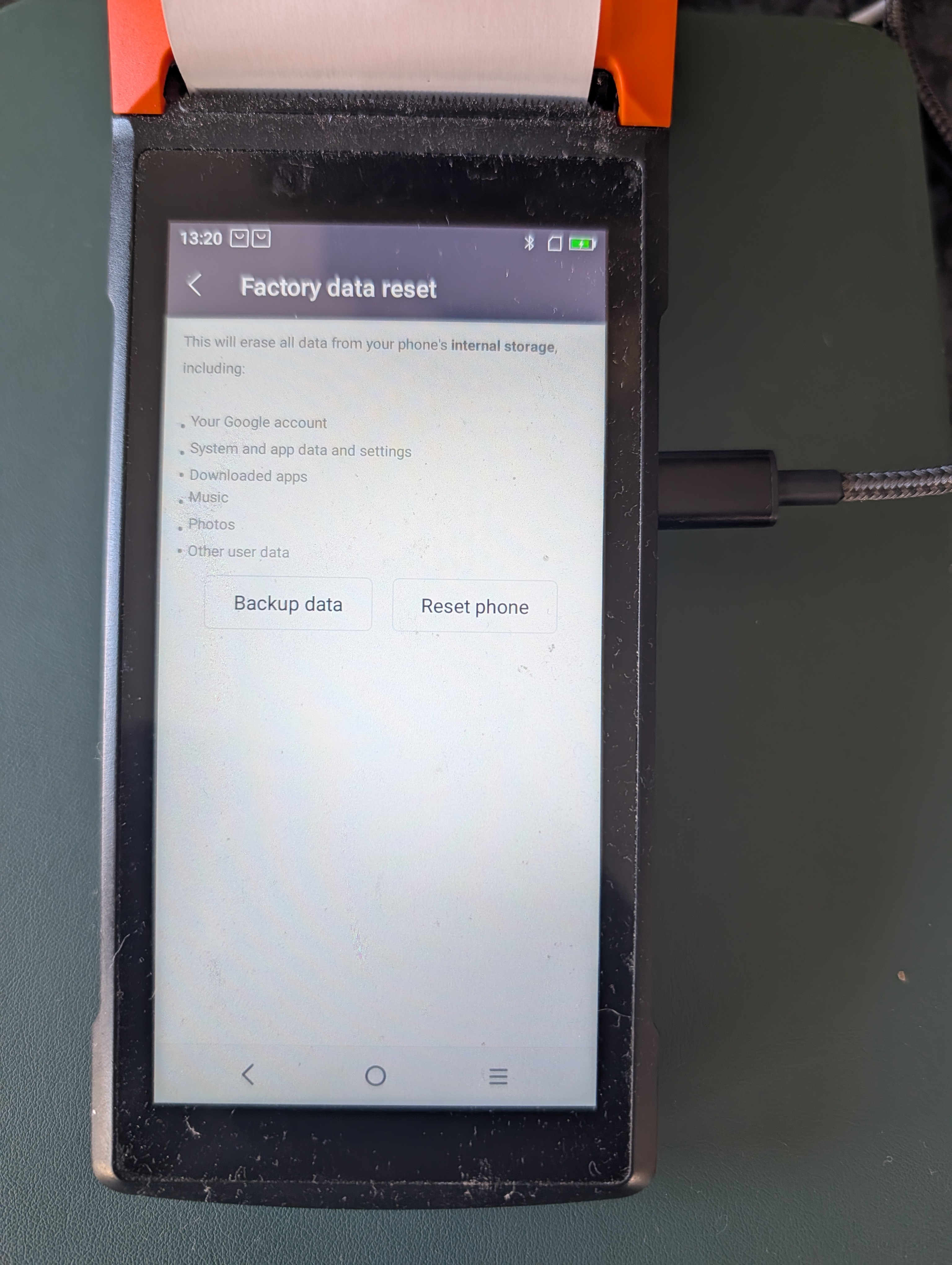
- Tap Factory Data Reset (at the bottom).
- Tap Reset Phone (button on the right).
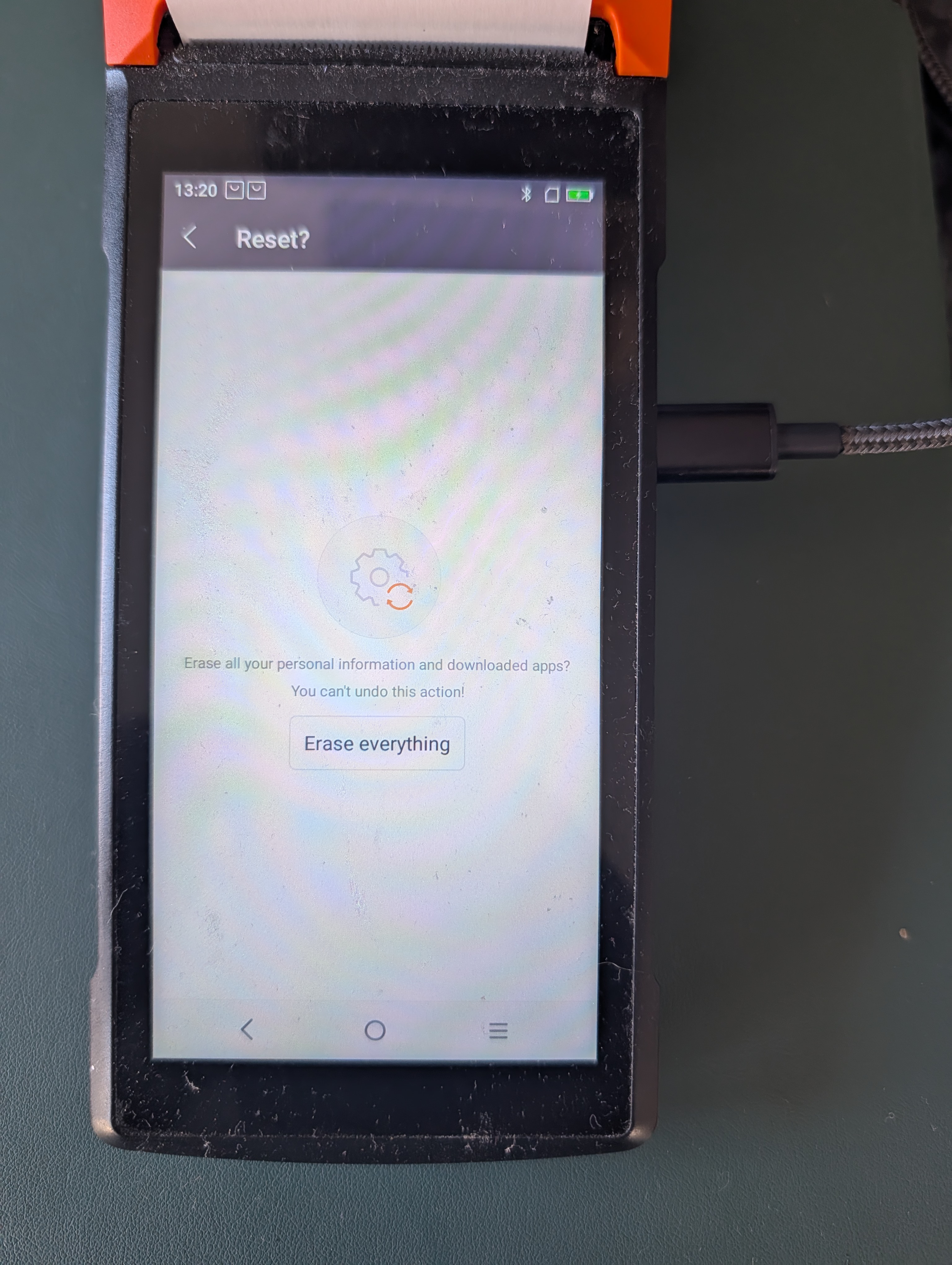
- Tap Erase Everything — this wipes and resets the device.
- Set it back up: when it reboots, set location to UK and timezone to London, accept the terms and tick the box, then Next, and connect to your wifi. Then tap Start Config, agree on the tips window, skip the Sunmi registration (button at the bottom), let the software download, and finally tap Enter the System to land back in Redbox.